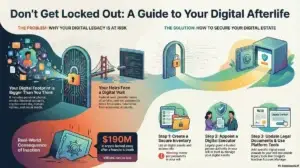
The Deliberate Digital Legacy: Taking Control of Your Next Chapter
Taking charge of your digital afterlife—by organizing virtual assets, accounts, and passwords—can safeguard precious memories and spare your loved ones unnecessary stress.
Taking charge of your digital afterlife—by organizing virtual assets, accounts, and passwords—can safeguard precious memories and spare your loved ones unnecessary stress.
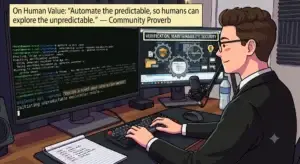
You’ve got a video with no narration and a script you want timed to specific moments on screen. Here’s the whole path from nothing to a finished, muxed file — one terminal, zero paid tools.
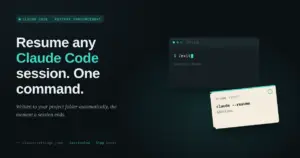
You’ve been deep in a Claude Code session for an hour, you close the terminal, and twenty minutes later you need to get back into that exact conversation. So you dig through claude –resume history, squint at a list of session IDs with no context, and hope you pick the right one. It’s a small tax, but it’s one you pay every single day.

The product was rebranded from the placeholder “MyCalendone” to “Circal” (a blend of circadian and calendar) because it is short, easy to pronounce, and describes the product’s core function without overpromising results. To navigate domain availability, the team adopted the practical prefix convention “trycircal.app” as an accessible starting point while focusing on clarity, simplicity, and shipping over cleverness.
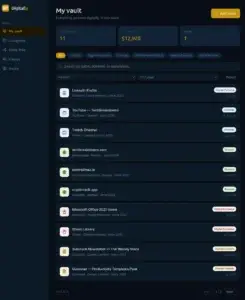
Building MyDigitally: The Journey to Protecting Our Digital Legacies We spend years building our lives online. We buy domain names, accumulate thousands of dollars in gaming libraries, grow monetized YouTube channels, and pay for lifetime software subscriptions. Yet, if you look at a standard bank statement or a traditional physical will, none of these assets exist. If something happens to you, those accounts often vanish into the digital ether, leaving your loved ones locked out and billions of dollars in value completely lost. That is why I built MyDigitally (mydigitally.app). The app evolved from a simple core inventory tool into a complete, secure digital vault ecosystem. Why MyDigitally is Needed The problem is simple: our digital lives are worth more than we realize, and they are completely undocumented. What is MyDigitally and How Does It Work? MyDigitally is a secure, personal digital asset vault. Think of it
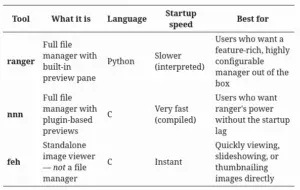
A beginner’s guide to installing and using nnn on Fedora — plus how it compares to ranger and feh. Ever opened a graphical file manager just to glance at a folder of screenshots, and watched it take three full seconds to load? Terminal users solved this problem years ago.