Category: Learnings

Protecting Your Privacy: Removing Image Metadata Before Social Media Posts

The Hidden Data in Your Photos Every digital photo contains more than just the visible image. Hidden within each file is a treasure trove of metadata—detailed information about when, where, and how the photo was taken. This data, stored in formats like EXIF (Exchangeable Image File Format), can reveal far more about your life than you might realize. When you snap a photo with your smartphone or digital camera, the device automatically embeds metadata including the exact GPS coordinates of where the photo was taken, the timestamp down to the second, camera settings, device model, and sometimes even the photographer’s name if configured in the camera settings. For modern smartphones, this can include detailed location data accurate to within a few meters of your actual position. What Metadata Reveals About You Geolocation Data: Your photos can pinpoint your exact location when taken, revealing your home address, workplace, favorite restaurants, gym,

Read More »

JIL – Journey In Learning

Life is the ultimate university. Just when we think we’re done with school after receiving that official diploma or certificate, whether from a traditional brick-and-mortar institution or a cutting-edge MOOC platform. Eventually, we discover something profound: our real education is just beginning. The “Journey in Learning” never truly ends; it simply transforms. The Authenticity Dilemma: To Fake It or Not to Fake It? In college, a friend once gave me advice that I’ve wrestled with ever since: “Relax a bit and be okay with submitting mediocre deliverables every now and then. We don’t need to cover everything, and when we present, we need to act like we’re the experts of whatever we’re reporting about.” The suggestion made me deeply uncomfortable. Something about pretending to be an expert when I wasn’t felt fundamentally wrong. Instead, I developed what became a lifelong habit: acknowledging the limits of my knowledge while pointing my

Read More »

SEO: Search Engine Optimization

If you just launched a WordPress site — or inherited one that’s never been properly configured for search — this guide walks through every step needed to get Google to find it, understand it, and rank it fairly. It’s written as a checklist you can work through top to bottom, but each item includes the *why*, the *how*, and the mistakes that trip people up.

This is the general-purpose version of the playbook. It assumes a WordPress site with Yoast SEO installed, but the underlying principles (canonical URLs, verified ownership, a clean sitemap, and healthy Core Web Vitals) apply to any CMS on any host.

Read More »

How Consulting and Taking Online Courses Inspired – Deliberate Learners –

In one, I was an independent IT consultant — building web storefronts, small mobile apps, and social media strategies for local businesses, then teaching those clients how to actually run the tools once I handed them over. In the other, I was a student of everything. Coursera tabs. Udacity nanodegrees. A half-watched lecture paused at 12:04 for three weeks. A specialization I’d paid for and opened twice.

Read More »

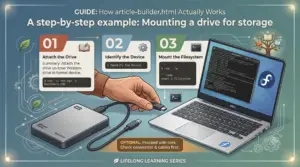
How to Mount an External Hard Drive on Linux

On Windows, plugging in a drive gives it a letter like E:\ automatically. Linux doesn’t — it makes you mount the drive, which just means: attach the drive’s contents to a folder on your filesystem.

Picture your Linux filesystem as one big tree starting at /. An unmounted drive is a box sitting on the floor, not connected to anything. Mounting grafts that box’s contents onto a folder — a mount point — so that opening the folder means you’re looking inside the drive.

Read More »

Feel free to visit the other sections