What I’m learning, taught back in plain terms.

This is the section where I work through security and technical topics by writing the guide I wish I’d had — password managers, ransomware and social engineering, stripping metadata off photos, automating file cleanup, mounting drives on Linux. Tested first, then written.

I lean on structured learning — the PARA method for taming information, MOOCs used as a force multiplier rather than a replacement for real practice. What lands here is what survived actually doing it, including the parts that tripped me up.
NostradmsX

JIL – Journey In Learning

Life is the ultimate university. Just when we think we’re done with school after receiving that official diploma or certificate, whether from a traditional brick-and-mortar

Read More »
NostradmsX

SEO: Search Engine Optimization

If you just launched a WordPress site — or inherited one that’s never been properly configured for search — this guide walks through every step needed to get Google to find it, understand it, and rank it fairly. It’s written as a checklist you can work through top to bottom, but each item includes the *why*, the *how*, and the mistakes that trip people up.

This is the general-purpose version of the playbook. It assumes a WordPress site with Yoast SEO installed, but the underlying principles (canonical URLs, verified ownership, a clean sitemap, and healthy Core Web Vitals) apply to any CMS on any host.

Read More »
NostradmsX

How Consulting and Taking Online Courses Inspired – Deliberate Learners –

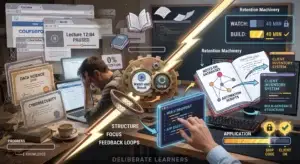
In one, I was an independent IT consultant — building web storefronts, small mobile apps, and social media strategies for local businesses, then teaching those clients how to actually run the tools once I handed them over. In the other, I was a student of everything. Coursera tabs. Udacity nanodegrees. A half-watched lecture paused at 12:04 for three weeks. A specialization I’d paid for and opened twice.

Read More »
NostradmsX

How to Mount an External Hard Drive on Linux

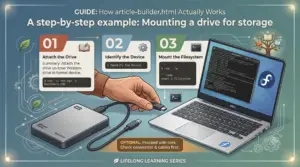
On Windows, plugging in a drive gives it a letter like E:\ automatically. Linux doesn’t — it makes you mount the drive, which just means: attach the drive’s contents to a folder on your filesystem.

Picture your Linux filesystem as one big tree starting at /. An unmounted drive is a box sitting on the floor, not connected to anything. Mounting grafts that box’s contents onto a folder — a mount point — so that opening the folder means you’re looking inside the drive.

Read More »

more @ deliberatelearners.com